Basic
$0/month
Get started with cash on delivery fees on up to 20 orders per month.
Install for freeUp to 20 Cash on Delivery orders/month
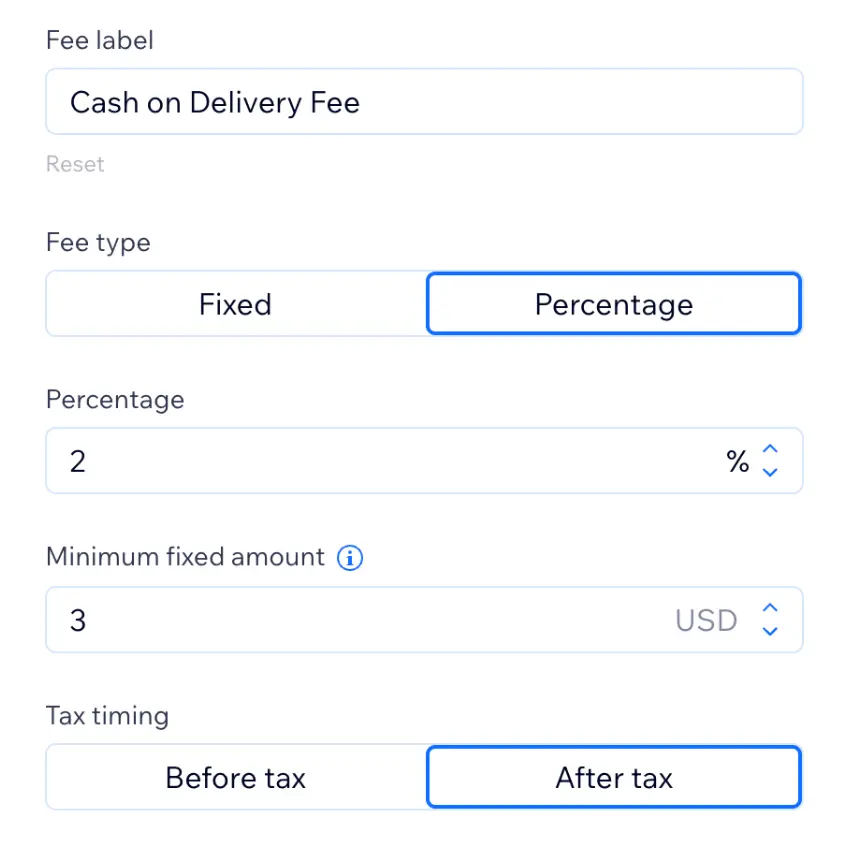
Charge a fixed or percentage COD fee
Customize the checkout fee name
Email support
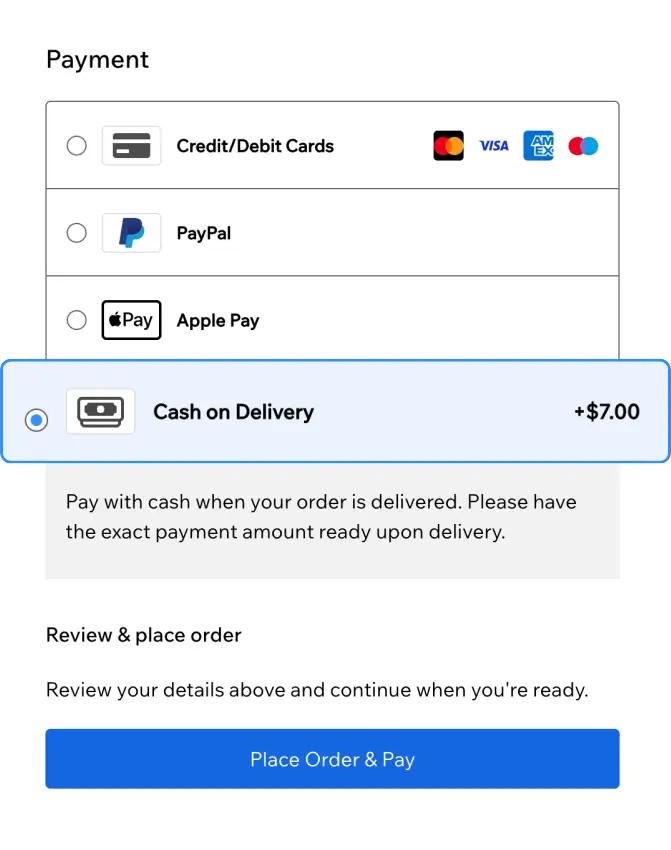
Show COD costs on the order summary so shoppers commit with the full total in view.
No credit card required.

Benefits Overview
Key ways Wix merchants use this setup to improve product clarity and shopper confidence before checkout.
Personalization Flow
Cash on Delivery creates real handling and collection costs. A dedicated COD fee at checkout lets you recover those expenses, keep totals transparent, and leave prepaid orders untouched.
Cash on delivery orders cost more to fulfill. A COD fee at checkout passes that cost to the payment method that creates it.
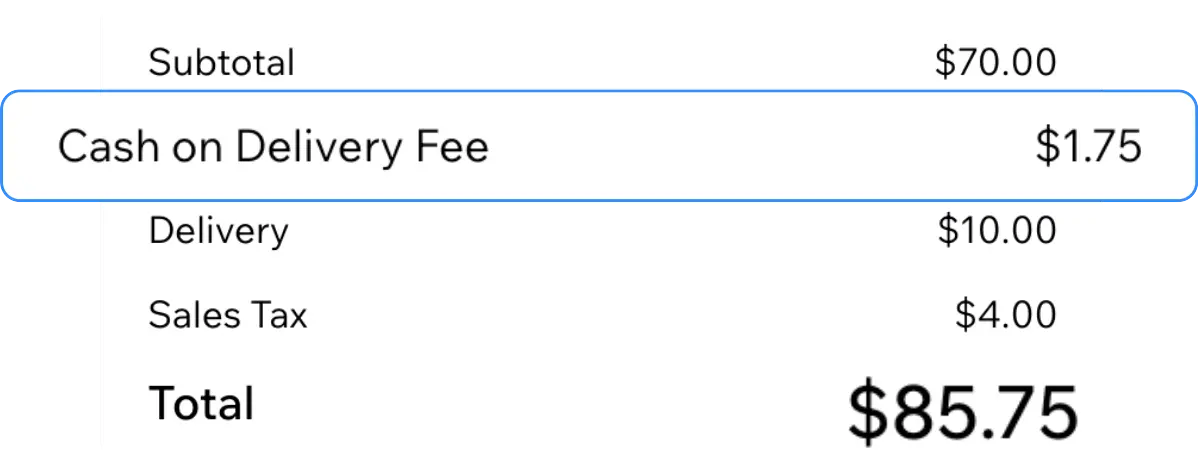
Shoppers see the cash on delivery fee immediately when they select COD, with the updated total before they tap place order.
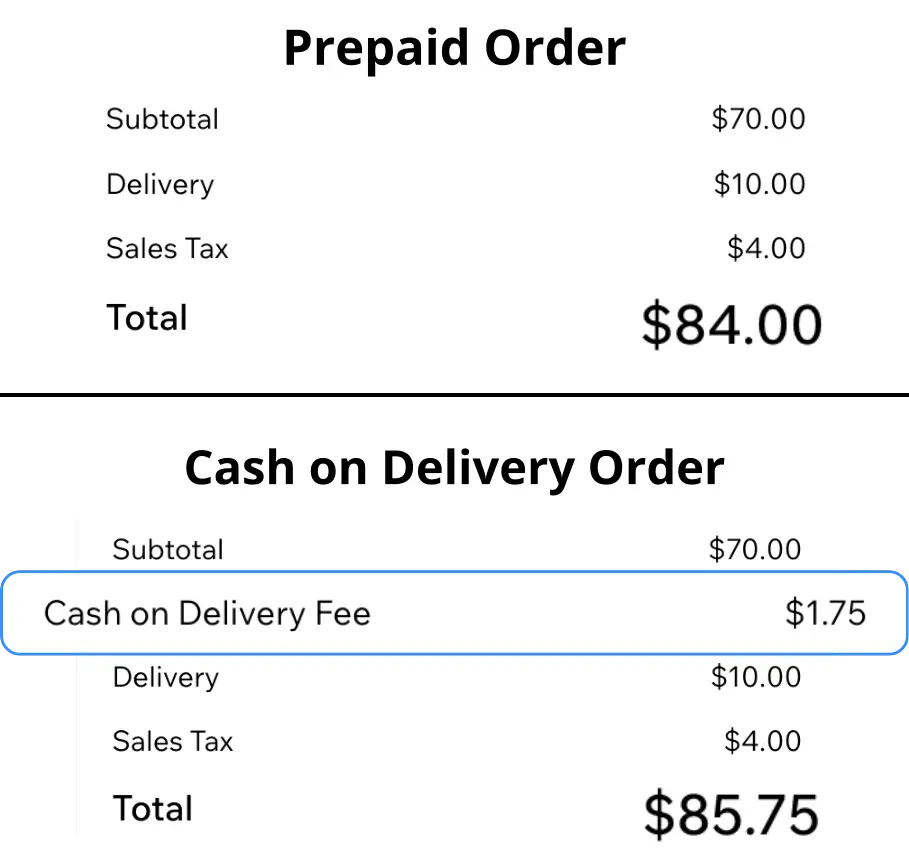
The cash on delivery fee at checkout never applies to prepaid payment methods. The rest of your store setup stays the same.
Merchant Scenarios
Example scenarios based on common merchant setups and results.
The cash on delivery fee shows on checkout right when COD is picked. That was the main thing we needed.
Our checkout summary now lists the COD fee separately. Totals make sense before customers confirm.
Card checkout never shows the fee. It only appears on cash on delivery orders at checkout.
Pricing Details
A comprehensive breakdown of our pricing plans to help you make the best choice.
Get started with cash on delivery fees on up to 20 orders per month.
Install for freeUp to 20 Cash on Delivery orders/month
Charge a fixed or percentage COD fee
Customize the checkout fee name
Email support
Unlimited cash on delivery orders with priority support as you scale.
Install for freeUnlimited Cash on Delivery orders
Charge a fixed or percentage COD fee
Customize the checkout fee name
Priority email support
Conversion Impact
Typical outcomes when cash on delivery fees are applied clearly at checkout, not buried in shipping or product prices.
Before place order
Not bundled
No manual steps
Use Case Library
Practical starting points teams use when rolling out cash on delivery fee at checkout to support store conversions.
Explore PowerUp apps and add Cash on Delivery Fee when you are set to ship.
Quick answers about using Cash on Delivery Fee on Wix.
Explore more ways to set up cash on delivery fees on your Wix store.