Basic
$0/month
Get started with cash on delivery fees on up to 20 orders per month.
Install for freeUp to 20 Cash on Delivery orders/month
Charge a fixed or percentage COD fee
Customize the checkout fee name
Email support
COD orders cost more to fulfill. Add a fee that recovers those costs automatically at checkout.
No credit card required.

Benefits Overview
Key ways Wix merchants use this setup to improve product clarity and shopper confidence before checkout.
Personalization Flow
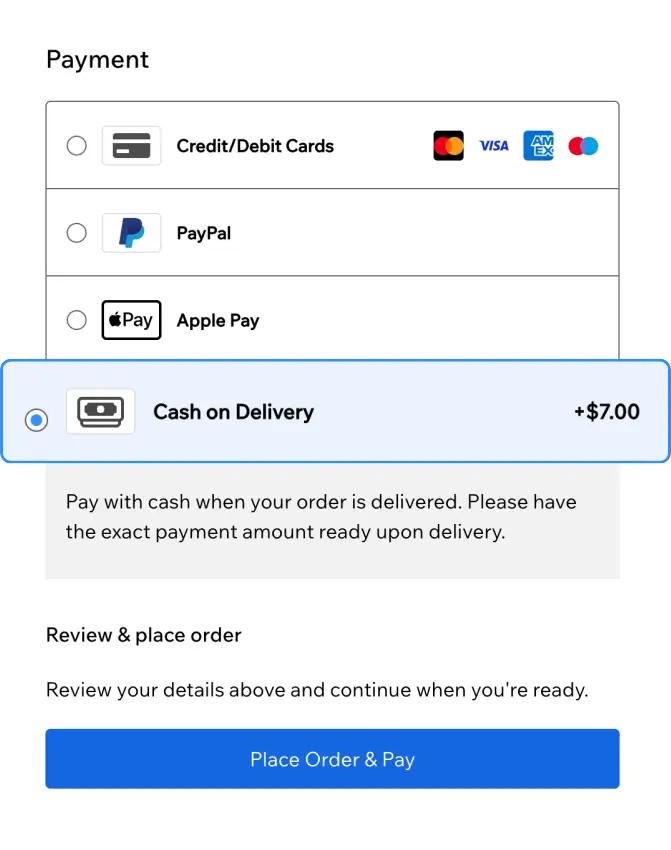
Cash on Delivery creates real handling and collection costs. A dedicated COD fee at checkout lets you recover those expenses, keep totals transparent, and leave prepaid orders untouched.
Every cash on delivery order can carry courier and handling overhead. A COD fee recovers those costs on the payment method that creates them.
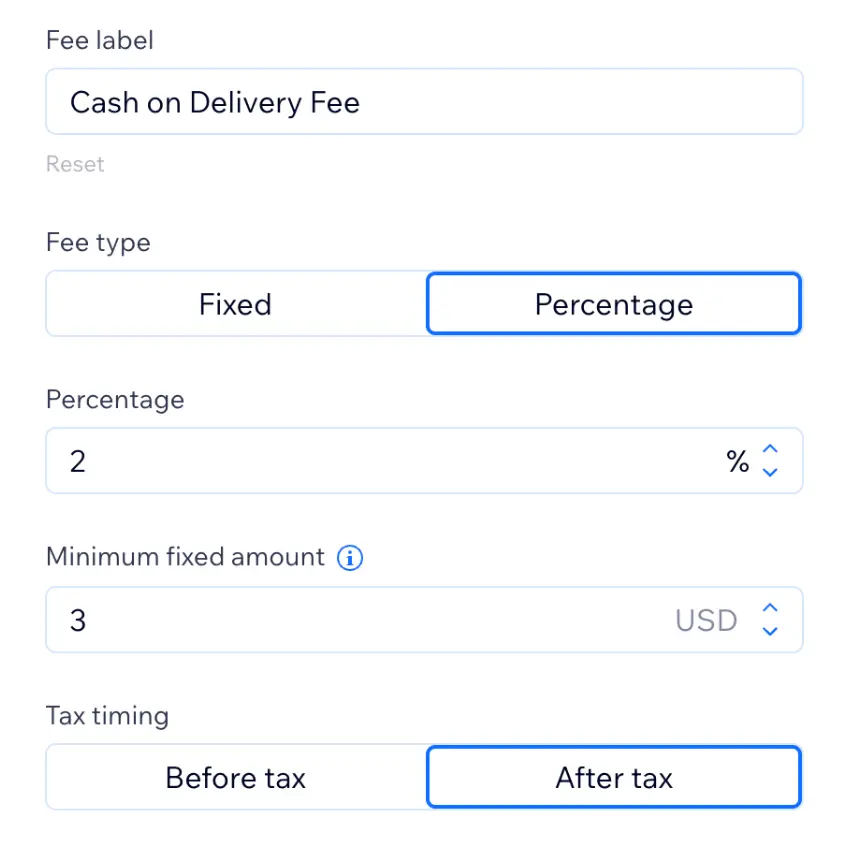
Shoppers see the cash on delivery fee as soon as they select COD at checkout, with your custom label and tax behavior applied.
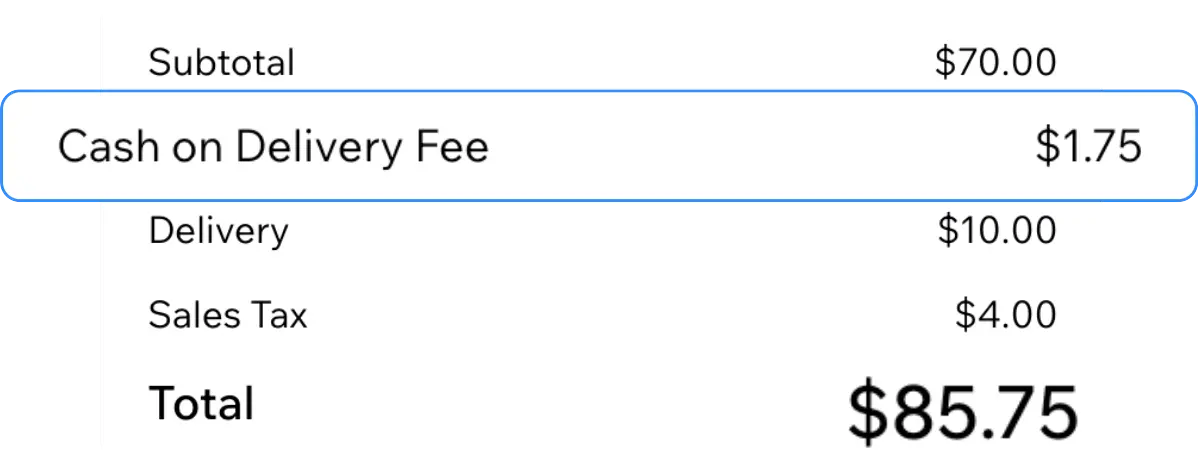
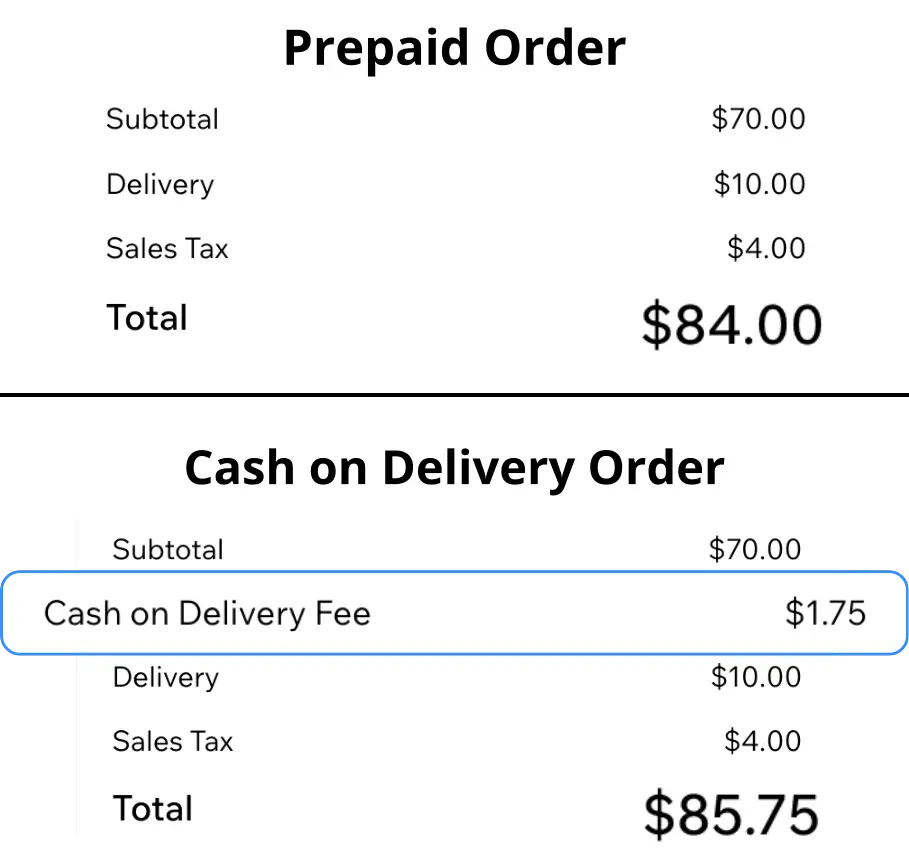
The COD fee applies only when Cash on Delivery is chosen. Other payment options and your shipping setup stay unchanged.
Merchant Scenarios
Example scenarios based on common merchant setups and results.
We needed a simple COD fee without touching product prices. It went live in one afternoon.
The cash on delivery fee shows as its own line at checkout. Customers understand what they are paying for.
Card orders stay the same. Only COD checkouts pick up the fee, which is what we wanted.
Pricing Details
A comprehensive breakdown of our pricing plans to help you make the best choice.
Get started with cash on delivery fees on up to 20 orders per month.
Install for freeUp to 20 Cash on Delivery orders/month
Charge a fixed or percentage COD fee
Customize the checkout fee name
Email support
Unlimited cash on delivery orders with priority support as you scale.
Install for freeUnlimited Cash on Delivery orders
Charge a fixed or percentage COD fee
Customize the checkout fee name
Priority email support
Conversion Impact
Typical outcomes when cash on delivery fees are applied clearly at checkout, not buried in shipping or product prices.
Flat or %
Upfront
Minutes
Use Case Library
Practical starting points teams use when rolling out cod fee to support store conversions.
Explore PowerUp apps and add Cash on Delivery Fee when you are set to ship.
Quick answers about using Cash on Delivery Fee on Wix.
Explore more ways to set up cash on delivery fees on your Wix store.