Quick answer
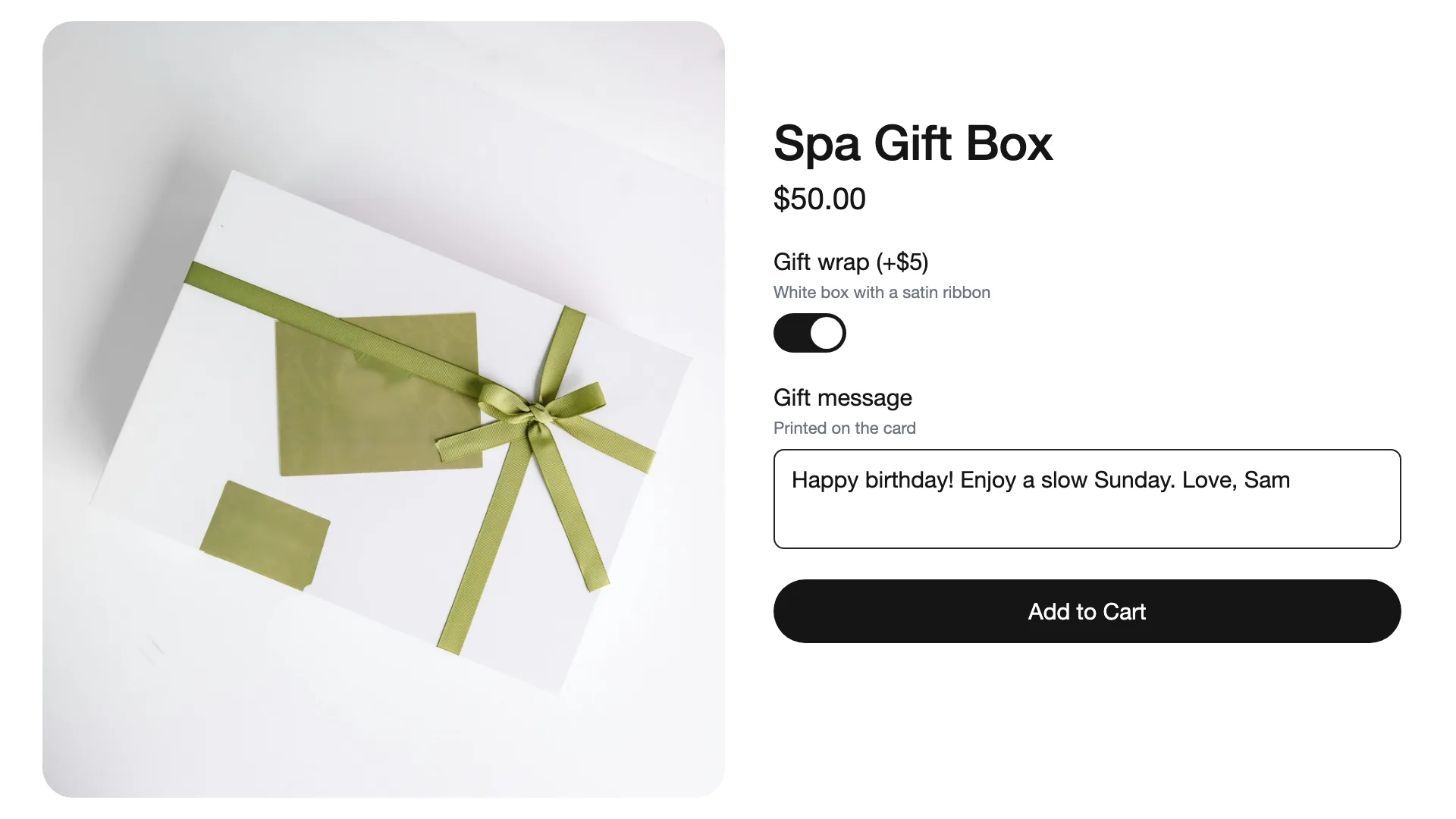
Wix Stores has no gift wrap setting, so stores usually add it as a product option with its own price, which doubles the variants. With a product options app, you add a Gift wrap toggle with a price, show it on every product at once, and add a gift message box if you like.
How stores usually add gift wrap on Wix
Wix Stores doesn't have a built-in gift wrap or checkout add-on setting, so store owners use one of these.
| How it works | Downside | |
|---|---|---|
| A Wix product option | "Gift wrap: No / Yes", with a higher price on the Yes variants | Doubles every variant, and you set it up on each product |
| A separate gift wrap product | Shoppers add "Gift wrap" to the cart as its own item | Not tied to the product being wrapped |
| Product options app | Add a Gift wrap toggle with a price, shown on all products | A few minutes to set up |
How to add gift wrap with an app
Step 1: Install the app
Add Product Options by PowerUp from the Wix App Market. It is free to install and adds itself to your product pages, so there is no code to paste.
Step 2: Create an option set
In the app's dashboard, click Add new option and name the set, like "Gift options".
Step 3: Add a Gift wrap toggle
Add a product option and choose Toggle. Label it "Gift wrap" and, under Toggle options, enter the Price adjustment, like $5. The price is added only when the shopper switches it on.
Offering more than one extra, like gift wrap, a card and a ribbon? Use Checkboxes instead, with a price on each.
Step 4: Add a gift message box
Add a Multiline option labeled "Gift message" and set a Max length that fits your card. Add a Description like "Printed on the card" so shoppers know where it goes.
Step 5: Show the message only when it's needed
On a paid plan, add a rule so the gift message appears only after the shopper switches on gift wrap. Under When, choose Gift wrap and the value Enabled, then choose Show for the gift message.
Step 6: Show it on every product and save
In the Rules tab, under Where to show, choose All products, or pick Collections if only some items can be wrapped. Click Save, then open a product on your live site and switch on gift wrap to test it.
Tips
- Put the price in front of shoppers before they decide. The app shows it in the option label, like "Gift wrap (+$5)".
- If wrapping adds a day to shipping, say so in the Description.
- Gift wrap is added per item. If a shopper buys 2 of the same product with gift wrap on, both are wrapped and charged.