The apps at a glance
| App | Type | Price | Rating | Best for |
|---|---|---|---|---|
| Product Options by PowerUp | Product options | $8.99 to $43.99 a month, based on add-on sales | 5.0 (18 reviews) | Paid add-ons, conditional logic, file upload and previews |
| Product Options & Variant | Product options | $12 or $20 a month | 3.4 (12 reviews) | Option types, swatches and file upload |
| Kickflip | Product configurator | From $59 a month plus up to 1.95% of each sale | 5.0 (8 reviews) | Products built part by part, with a live price and preview |
| Zakeke | Product customizer | From $69.90 a month plus 1.9% of sales | 3.5 (8 reviews) | 3D, AR and virtual try-on previews, with print-ready files |
Features compared
| Feature | Product Options by PowerUp | Product Options & Variant | Kickflip | Zakeke |
|---|---|---|---|---|
| Paid add-ons | Yes | Yes | Yes | Yes |
| Conditional logic | Yes | Yes | Yes | Yes |
| Pick more than one choice | Yes | Yes | Yes | Not listed |
| Customer file upload | Up to 500 MB | Up to 20 MB | Yes | Yes |
| Preview on the product photo | Yes | Not listed | Yes | Yes |
| 3D and AR preview | Not listed | Not listed | Not listed | Yes |
| Apply to a collection or whole store | Yes | Not listed | Per product | Per product |
| Set up in minutes | Yes | Yes | Longer setup | Longer setup |
| Works with your existing product photos | Yes | Not listed | Needs layered images | Yes |
| Analytics on which choices sell | Yes | Not listed | Not listed | Not listed |
| Fee on each sale | None | None | Up to 1.95% | 1.9% |
From each app's Wix App Market listing and website in November 2026, using regular monthly prices. A dash means the listing doesn't mention it. Plans change, so check the listing before you install.
Each app in detail
1. Product Options by PowerUp: Best for paid add-ons and personalization
5.0 (18 reviews)Product options
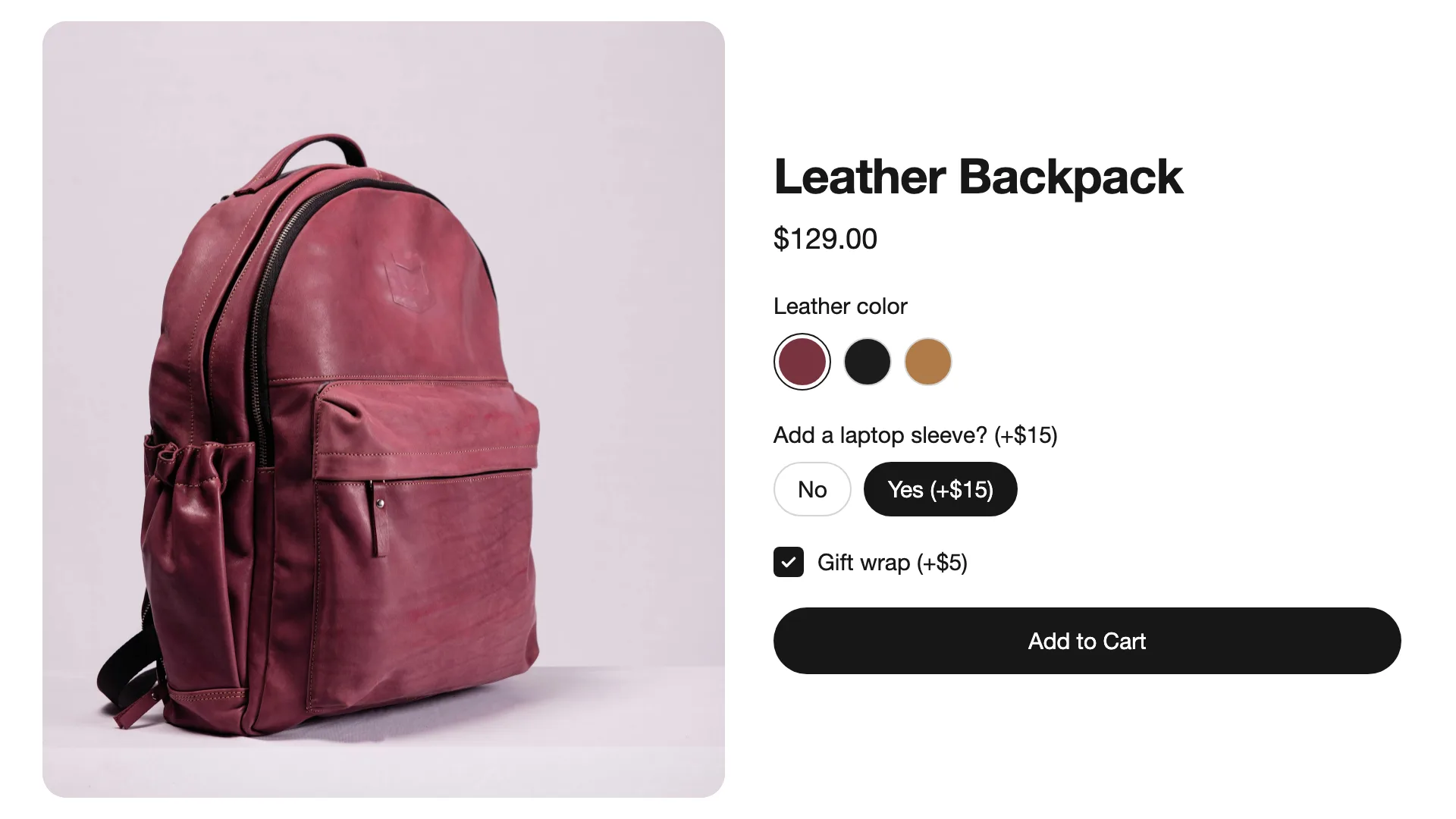
Product Options by PowerUp adds custom fields and paid add-ons to Wix Stores products. Each choice adds to the price and shows on the order, with no extra variants.
Key features:
- Paid add-ons: Charge per choice, per character, per unit or by tier.
- 15+ option types: Buttons, dropdowns, date ranges, color pickers, product swatches and more.
- Conditional logic: Show, hide or lock options based on earlier choices.
- File upload: Customers upload photos, logos or artwork, with multiple files per field and up to 500 MB each.
- Live preview: Shows a shopper's chosen design or photo on your product photo.
- No option limits: Unlimited options and choices on every product.
- Easy to apply: Add options to one product, a collection or your whole store.
- Recommended by Wix: Wix's own help articles point to it.
Price: $8.99 to $43.99 a month, based on how much you earn from add-ons. No fee on each sale.
Setup: Minutes, with no code.
Trade-off: No 3D view, so products shoppers design from scratch in 3D need a customizer.
“This has made personalizing and customizing products so much easier to add and navigate for me and my customers.”
2. Product Options & Variant
3.4 (12 reviews)Product options
Product Options & Variant adds more option types to the Wix product page, with add-on pricing and conditional logic.
Key features:
- Add-on pricing: Link paid options to specific products for upselling.
- Option types: More than 20 on the top plan.
- Conditional logic: Show options based on earlier choices.
- File upload: Up to 20 MB per file on the $12 plan.
- Styling: Advanced style options on the top plan.
Price: $12 or $20 a month. No fee on each sale.
Setup: Minutes, with no code.
Trade-off: The $12 plan has 12 option types, and swatches need the $20 plan.
3. Kickflip: Best for products built from parts
5.0 (8 reviews)Product configurator
Kickflip is a product configurator. Shoppers build the product part by part and watch the preview and price change as they go.
Key features:
- Multi-part builder: For products like furniture, shoes or sporting gear.
- Live pricing: Each option can carry its own price, and the total updates as shoppers choose.
- Personalization: Shoppers add their own text, fonts, images and logos.
- Live coloring: Shoppers recolor parts of the product as they build it.
- Several angles: Shoppers can view the product from more than one side.
- Quote requests: Shoppers can ask for a quote, for an extra $99 a month.
Price: From $59 a month, plus a fee of up to 1.95% on each custom product sold. The fee gets smaller as your sales grow.
Setup: Longer. Each configurator is built in Kickflip with layered images.
Trade-off: No 3D view, and the fee on each sale adds up on simple add-ons.
4. Zakeke: Best for 3D previews and print-ready files
3.5 (8 reviews)Product customizer
Zakeke is a visual customizer. Shoppers design the product with their own text and images, then see it in 3D or AR before they buy.
Key features:
- 3D and AR: 3D, AR and virtual try-on previews.
- Print-ready files: A print file is created for every order.
- Pricing rules: Add a markup to the price when shoppers customize.
- Templates: Ready designs with editable text and images.
- Image tools: Background removal and recoloring for uploaded images.
- Print techniques: Works for printing, sublimation and engraving.
Price: From $69.90 a month, plus 1.9% of every sale.
Setup: Longer. You set print areas on each product, plus 3D models for 3D views.
Trade-off: The 1.9% fee applies to every sale, on top of the monthly price.
How to choose
- Pick Product Options by PowerUp if you sell products with paid extras, personal details or uploads, and want it set up in minutes.
- Pick Kickflip if your product is put together from parts and shoppers need to see each part change.
- Pick Zakeke if you sell print-on-demand products and need 3D views or print-ready files.
Switching from another product options app
Write down each option set in your current app: the options, choices, prices, rules and which products it's on.
Install Product Options by PowerUp from the Wix App Market. It adds itself to your product pages, so there's no code to paste.
Click Add new option and recreate each set. Enter extra costs as a Price adjustment.
In the Rules tab, add conditions if you need them, and pick the products or collections under Where to show. Click Save.
Check a product on your live site, then remove the old app so shoppers don't see two sets of options.
Other ways to go
- Only file uploads: Product File Upload (4.6 from 26 reviews) and Product Upload Fields (5.0 from 4 reviews) focus on collecting customer files.
- A mix of both: use Product Options by PowerUp for options, add-ons and previews on your product photo, and add a customizer only on products that need a 3D view or a design shoppers build from scratch.