Quick answer
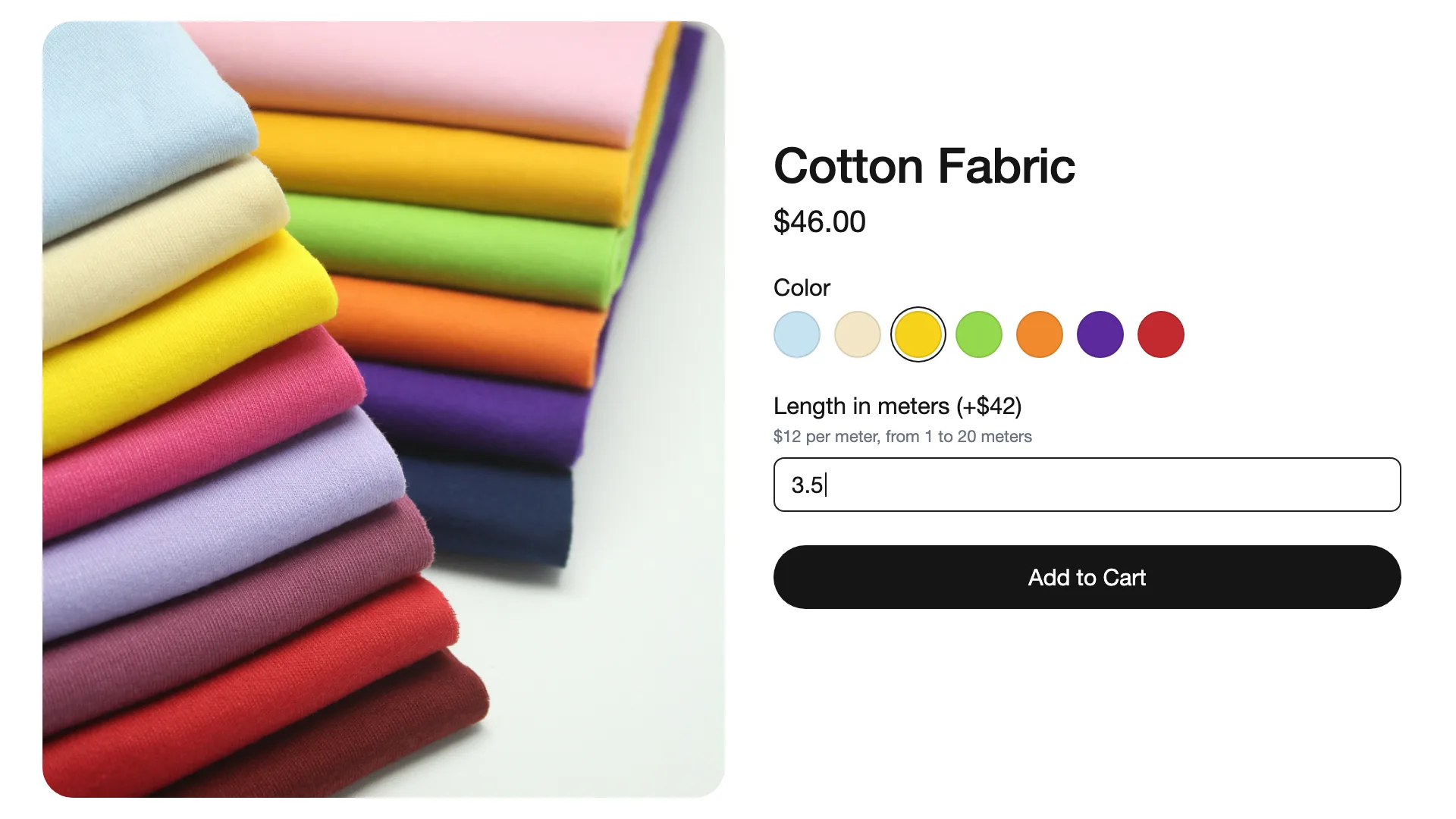
Wix Stores can't set a price per meter, foot or unit, only a price for each variant. To price by length or amount, add a Number option with a product options app and set a price per unit. The customer enters how much they want, like 3.5 meters, and the price updates before they add it to the cart.
What Wix can do on its own
Wix's help center says it isn't possible to set a price per size or weight. Its suggestion is to create size choices, like 1 meter, 2 meters and 3 meters, each with its own variant price.
That works for a few fixed sizes. It gets long fast when customers want any length, and it can't handle amounts in between, like 2.5 meters.
| Wix size choices | Number option with a price per unit | |
|---|---|---|
| Any amount | Only the sizes you list | Any amount within your minimum and maximum |
| Half sizes, like 2.5 | Only if you add each one | Yes, with decimals turned on |
| Price changes with the amount | One price per choice | Price per unit, or by range |
How to charge per unit with an app
Step 1: Install the app
Add Product Options by PowerUp from the Wix App Market. It is free to install and adds itself to your product pages, so there is no code to paste.
Step 2: Add a Number option
In the app's dashboard, click Add new option, name the set, and add a Number option. Give it a label that names the unit, like "Length (meters)", and use Description for a hint like "Sold by the meter".
Step 3: Set the minimum, maximum and decimals
Set a Minimum and Maximum, like 1 to 20 meters. Turn on Allow decimals and choose the Decimal places if customers can order half or quarter units.
Step 4: Set the price per unit
Open Pricing, keep Same price per unit, and enter the Price per unit, like $12. If a customer enters 3.5, the option adds $42 to the product price.
The amount is added on top of the product's Wix price, so use the Wix price as a base, like a cutting or setup fee.
Step 5: Add price breaks if you like
Choose Price per unit, by range to lower the rate for bigger orders, like $12 a meter up to 10 meters and $10 a meter after that. Or choose Fixed price, by range for one set price per band of amounts. Click Add range to add more.
Step 6: Choose where it shows and save
In the Rules tab, under Where to show, pick the products or collections. Click Save, then open the product on your live site, enter an amount, and check that the price updates.
Good to know
- A Number option takes one amount. For items sized by width and height, like a rug or a banner, ask for the total area in one field, like "Size (square feet)", or offer your common sizes as buttons.
- For weight-based shipping, set Extra weight per unit so heavier orders get the right shipping rate.
- Write the unit in the label, like "(meters)" or "(feet)", so nobody enters centimeters or inches by mistake.